• Home
  • FAQ
  • Guidebook
  • Log In
  • Home
  • FAQ
  • Guidebook
  • Log In
Support/Knowledge Base/Troubleshooting/I can’t find an app on Aurora

I can’t find an app on Aurora

12 views 0

If you are having issues locating your app via Aurora and you know it exists on Google Play, then follow the steps listed below:

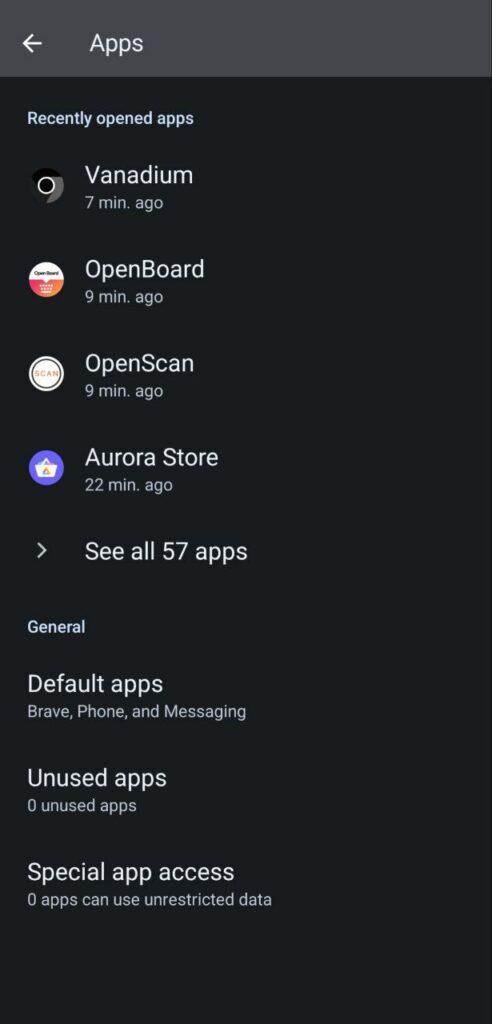
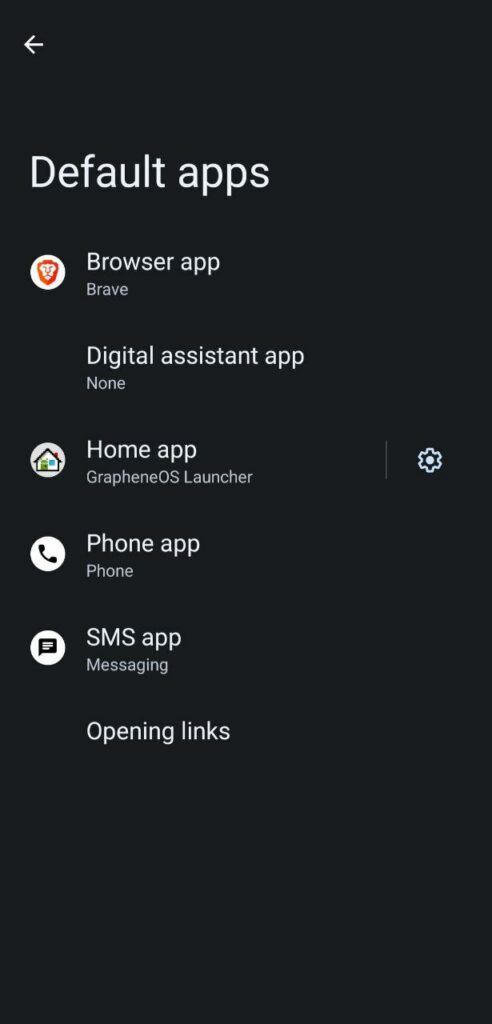
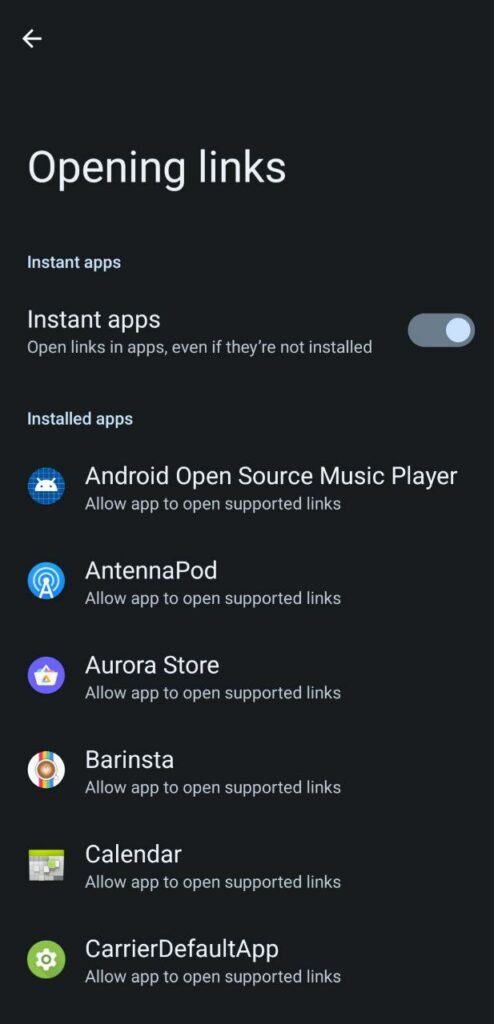
  • Go to SettingsAppsDefault AppsOpening links.
  • Locate Aurora.
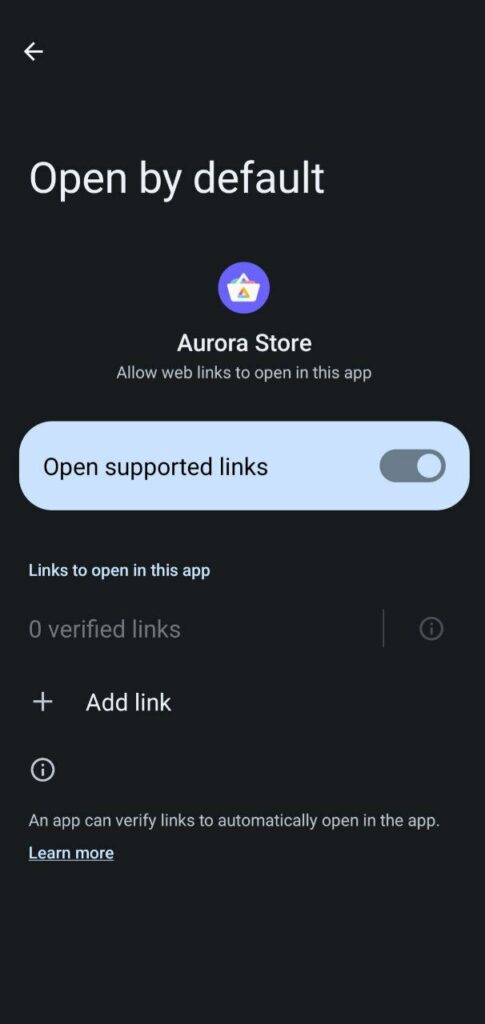
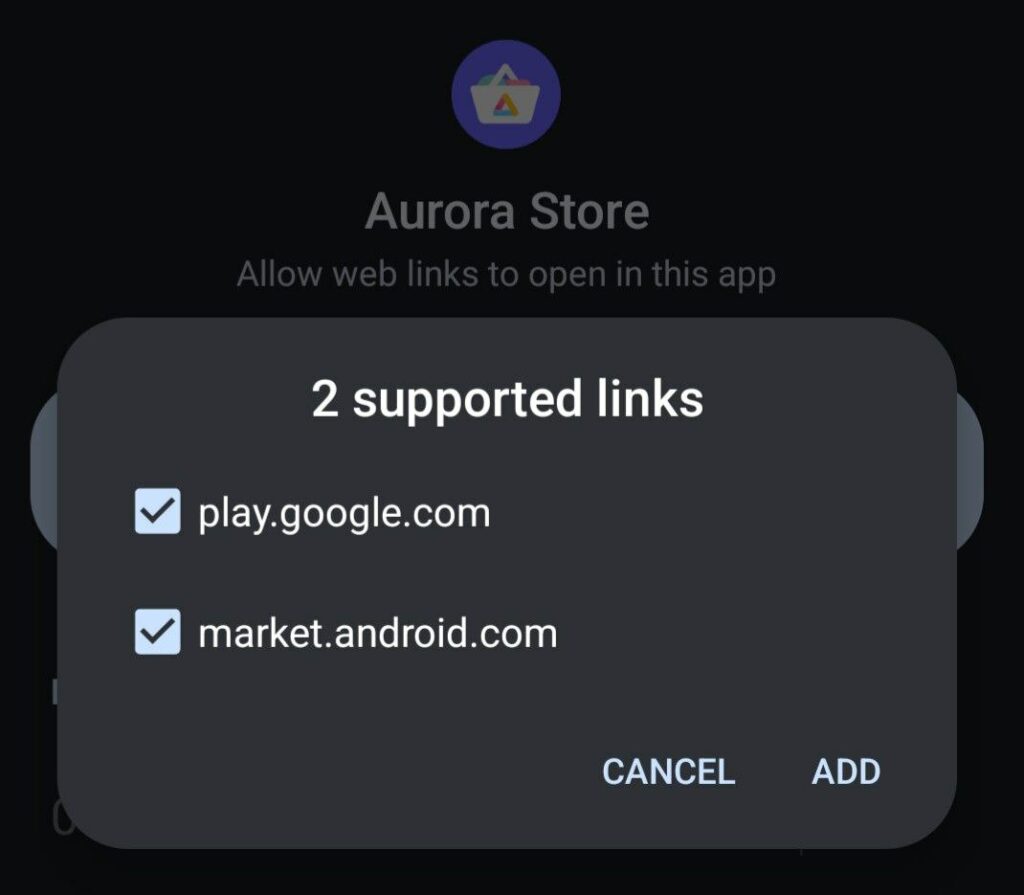
  • Tap on + Add Link.
  • Make sure play.google.com and market.android.com are both ticked.
  • Return to your home screen.
  • Open your web browser (Brave or Vanadium).
  • Search for the app that you want and put Play Store at the end of it. For example: Brave Browser Play Store
  • Locate the Google play store link and tap on it.
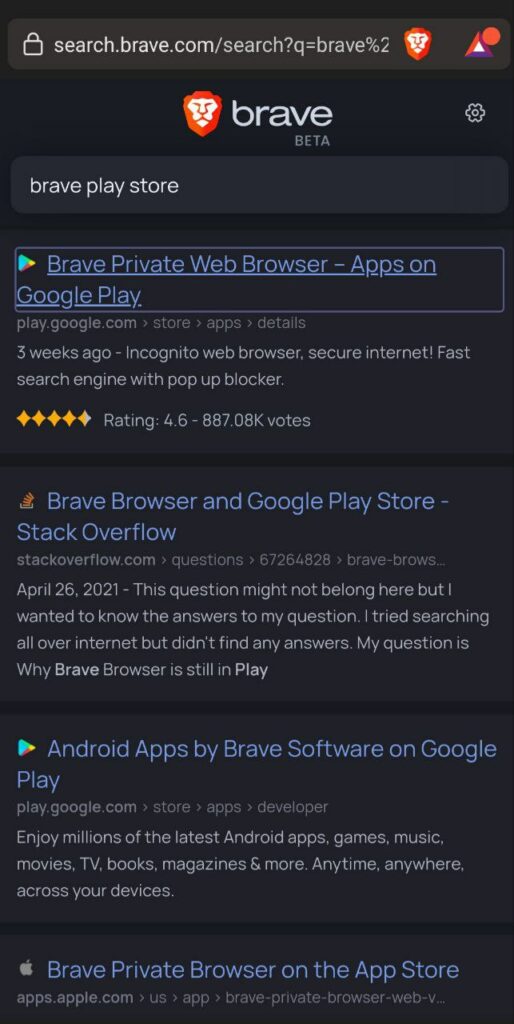
  • The link will open in Aurora and display the app page.
  • Tap on ‘Install‘ to add the app to your Privacy Phone.
Related Articles
  • How to Disable VPN and Use Split Tunneling in Mullvad
  • Creating and Setting Up a Secondary User Profile
  • How to Switch Between User Profiles
  • VoLTE and Call Issues
  • Laptop: Busybox Initramfs Error
  • Laptop: Update Applications & System

Didn't find your answer? Contact Us

Popular Articles
  • Carrier Connection Issues
  • VoLTE and Call Issues
  • Verizon Internet Connection Issues (US Clients Only)
  • AT&T Internet Connection Issues (US Clients Only)
  • I can’t find an app on Aurora
KB Categories
  • Technical Information
  • Troubleshooting
  • Advanced
  • Laptop
  • Phone
  • Router
New title
  • Technical Information
  • Troubleshooting
  • Advanced
  • Laptop
  • Phone
  • Router

  Carrier Connection Issues

Auditor error: error encountered verifying attestation  

© Unchained Innovations | #NINJAPHONE